Create a VM
VBoxManage –help
VBoxManage createvm --name "MyvmServer" --register
VBoxManage modifyvm "MyvmServer" --memory 256 --acpi on --boot1 dvd --nic1 bridged --bridgeadapter1 eth0
VBoxManage createhd --filename MyvmServer.vdi --size 10000 --register
VBoxManage storagectl "MyvmServer" --name "IDE Controller" --add ide
VBoxManage storageattach "MyvmServer" --storagectl "IDE Controller" --port 0 --device 0 --type hdd --medium MyvmServer.vdi
VBoxManage storageattach "MyvmServer" --storagectl "IDE Controller" --port 1 --device 0 --type dvddrive --medium /home/MyvmServer.iso
Start a VM with VboxHeadless
VBoxHeadless --startvm "MyvmServer"
VBoxManage controlvm "MyvmServer" poweroff
VBoxManage controlvm "MyvmServer" pause
VBoxManage controlvm "MyvmServer" reset
VBoxHeadless –help
Import an existing VM
VM with the name myvm that needs to be reused. A directory contains myvm in the VirtualBox directory. The myvm directory will contain the myvm.xml file. Copy the myvm directory (including the myvm.xml file) to the new Machines directory.
In addition copy the myvm.vdi file from the old VDI directory to the new one.
Register the imported VM:
VBoxManage registervm somedirectory/myvm/myvm.xml
Reference Page
The above link contains more info on VM's.
Thursday, 12 May 2011

Wednesday, 11 May 2011
Remove CentOS Xen
Tuesday, 8 March 2011
Wine Install IE7 Problems
Info from Wine HQ App Testing Info
To install use the commands below :
Install with "export WINEPREFIX=~/.wine_ie7" then "winetricks ie7"
To install use the commands below :
Install with "export WINEPREFIX=~/.wine_ie7" then "winetricks ie7"
1Password using Wine in Ubuntu
This program would not run properly in Ubuntu 10.10 it would not allow the creation of a 1Password folder but installing DirectX9 seems to have fixed this.
Wednesday, 2 February 2011
Dell Poweredge 2950 Failure
Server failure
This server failed with the error "E171F PCIE Fatal Err B0 D3 F0" during power up. Upon inspection it was found that the 5/I PCIe SAS Controller card model no UCS-51 had a swollen electrolytic capacitor. This was replaced with one from an old PC motherboard, it had the same value (1500uF) and voltage rating (6.3v). After replacement the server booted and completed all it POST and began booting the OS. The server was soak tested and appeared to be operating fine. Hopefully saved an engineer call-out that probably would cost ~£500. By the way the machine was out of warranty. Below are pictures of the board and the repair.
Swollen Capacitor

Capacitor Repair
 Supplemental Info
A further 5 Dell servers came up with the same error and these were fixed by replacing the capacitors, bad batch of electrolytics.
Supplemental Info
A further 5 Dell servers came up with the same error and these were fixed by replacing the capacitors, bad batch of electrolytics.
This server failed with the error "E171F PCIE Fatal Err B0 D3 F0" during power up. Upon inspection it was found that the 5/I PCIe SAS Controller card model no UCS-51 had a swollen electrolytic capacitor. This was replaced with one from an old PC motherboard, it had the same value (1500uF) and voltage rating (6.3v). After replacement the server booted and completed all it POST and began booting the OS. The server was soak tested and appeared to be operating fine. Hopefully saved an engineer call-out that probably would cost ~£500. By the way the machine was out of warranty. Below are pictures of the board and the repair.
Swollen Capacitor

Capacitor Repair

Tuesday, 25 January 2011
Sheevaplug Shenanigans

I was loaned this particular Sheevaplug V1.3 with ESATA by Alex Voss, many thanks Alex. I plan to install a large hard drive and use this to boot the Sheeva plug from and install standard Debian rather than the Ubuntu it is supplied with. It seems to be relatively easy but requires a custom Kernel.
Friday, 10 December 2010
Rocks Cluster Config
Shutdown Cluster
/opt/rocks/sbin/cluster-fork shutdown
or
/opt/rocks/sbin/cluster-fork poweroff (if kernel and bios agree)
Compute node removal
rocks remove host compute-0-14
insert-ethers –-remove=compute-0-14
insert-ethers –-update
rocks sync config
Add/remove Nodes
Remove node with
rocks remove host compute-0-14
followed by
rocks sync config
and then run
insert-ethers --cabinet=0 --rank=14
and then pxe boot it?
Watch the /var/log/daemon log file for DHCPREQUEST from the MAC
address of that node. Once you see request and offer of the IP address
instert-ethers should show that it found new node. Then see if you are
seeing anything in /var/log/httpd/ssl_request_log from that IP
address. Fresh node should ask for a kickstart.cgi
Check for dhcp requests etc
tail -f /var/log/messages
Check Kickstart file is being correctly generated
rocks list host profile compute-0-0 > /tmp/ks.cfg
Check you can download kickstart file
wget --no-check-certificate https://localhost/install/sbin/public/kickstart.cgi
Sync Config
rocks sync config
Set node to be OS rescued or reinstalled
rocks set host pxeboot compute-x-y action=rescue/install
List all hosts On Cluster
cat /etc/hosts
IP Address for Node
host compute-0-3
New Node Install No IP address received
The new node sometimes doesn't get a new ip address via dhcp during pxe boot. A look in the head nodes messages shows no leases available. To fix this do :-
/etc/init.d/syslog restart
Problem with Ganglia Webpage
/etc/init.d/gmetad restart
/etc/init.d/gmond restart
Reinstall Node Problem
24/6/09
Then we tried to insert it:
insert-ethers --cabinet=0 --rank=14
It still failed at "choose a language".
It didn't show # symbol when.
Kickstart file not loading on compute node.
ls -ld /root
Gives … drwx------ 21 root root 4096 Jun 24 12:01 /root
ls -ld /root/.my.cnf
Gives … -r--r----- 1 root apache 28 Nov 25 2008 /root/.my.cnf
Problem with download of kickstart file was to do with /root permissions.
was fixed with chmod o+r /root and chmod o+x /root
After the above two commands were used root permissions were:-
drwx---r-x 21 root root 4096 Jun 24 12:01 /root
This cured the install problem.
Install id_rsa.pub in Nodes
Now copy id_rsa.pub file from head node to compute node.
scp /root/.ssh/id_rsa.pub root@compute-0-45 root@compute-0-45 ://root/.ssh/linux.pub
Now Login to the compute node.
ssh compute-0-45
Copy contents of linux.pub file and append them to the authorized_keys file.
cat /root/.ssh/linux.pub >> /root/.ssh/authorized_keys
Restart Ganglia
Sometimes the Ganglia web page from the head node shows all nodes as down but they can be sshed into and pinged via the console and seem very much alive!.
service gmond restart
service gmetad restart
Run a command on all nodes
This will run the cat command on all nodes and output the results on the head node and redirect the output to a file. This gives a list of hostnames and MAC addresses in a txt file.
[root@blub~]#cluster-fork cat /etc/sysconfig/network-scripts/ifcfg-eth0:0 | egrep "compute|HWADDR" > HostHWaddr.txt
Debug Commands Installation
Console Use Keystroke
1
Installation
Cntl-Alt-F1
2
Shell prompt
Cntl-Alt-F2
3
Installation log
Cntl-Alt-F3
4
System messages
Cntl-Alt-F4
5
Other messages
Cntl-Alt-F5
/opt/rocks/sbin/cluster-fork shutdown
or
/opt/rocks/sbin/cluster-fork poweroff (if kernel and bios agree)
Compute node removal
rocks remove host compute-0-14
insert-ethers –-remove=compute-0-14
insert-ethers –-update
rocks sync config
Add/remove Nodes
Remove node with
rocks remove host compute-0-14
followed by
rocks sync config
and then run
insert-ethers --cabinet=0 --rank=14
and then pxe boot it?
Watch the /var/log/daemon log file for DHCPREQUEST from the MAC
address of that node. Once you see request and offer of the IP address
instert-ethers should show that it found new node. Then see if you are
seeing anything in /var/log/httpd/ssl_request_log from that IP
address. Fresh node should ask for a kickstart.cgi
Check for dhcp requests etc
tail -f /var/log/messages
Check Kickstart file is being correctly generated
rocks list host profile compute-0-0 > /tmp/ks.cfg
Check you can download kickstart file
wget --no-check-certificate https://localhost/install/sbin/public/kickstart.cgi
Sync Config
rocks sync config
Set node to be OS rescued or reinstalled
rocks set host pxeboot compute-x-y action=rescue/install
List all hosts On Cluster
cat /etc/hosts
IP Address for Node
host compute-0-3
New Node Install No IP address received
The new node sometimes doesn't get a new ip address via dhcp during pxe boot. A look in the head nodes messages shows no leases available. To fix this do :-
/etc/init.d/syslog restart
Problem with Ganglia Webpage
/etc/init.d/gmetad restart
/etc/init.d/gmond restart
Reinstall Node Problem
24/6/09
Then we tried to insert it:
insert-ethers --cabinet=0 --rank=14
It still failed at "choose a language".
It didn't show # symbol when
Kickstart file not loading on compute node.
ls -ld /root
Gives … drwx------ 21 root root 4096 Jun 24 12:01 /root
ls -ld /root/.my.cnf
Gives … -r--r----- 1 root apache 28 Nov 25 2008 /root/.my.cnf
Problem with download of kickstart file was to do with /root permissions.
was fixed with chmod o+r /root and chmod o+x /root
After the above two commands were used root permissions were:-
drwx---r-x 21 root root 4096 Jun 24 12:01 /root
This cured the install problem.
Install id_rsa.pub in Nodes
Now copy id_rsa.pub file from head node to compute node.
scp /root/.ssh/id_rsa.pub root@compute-0-45 root@compute-0-45 ://root/.ssh/linux.pub
Now Login to the compute node.
ssh compute-0-45
Copy contents of linux.pub file and append them to the authorized_keys file.
cat /root/.ssh/linux.pub >> /root/.ssh/authorized_keys
Restart Ganglia
Sometimes the Ganglia web page from the head node shows all nodes as down but they can be sshed into and pinged via the console and seem very much alive!.
service gmond restart
service gmetad restart
Run a command on all nodes
This will run the cat command on all nodes and output the results on the head node and redirect the output to a file. This gives a list of hostnames and MAC addresses in a txt file.
[root@blub~]#cluster-fork cat /etc/sysconfig/network-scripts/ifcfg-eth0:0 | egrep "compute|HWADDR" > HostHWaddr.txt
Debug Commands Installation
Console Use Keystroke
1
Installation
Cntl-Alt-F1
2
Shell prompt
Cntl-Alt-F2
3
Installation log
Cntl-Alt-F3
4
System messages
Cntl-Alt-F4
5
Other messages
Cntl-Alt-F5
Subscribe to:
Posts (Atom)
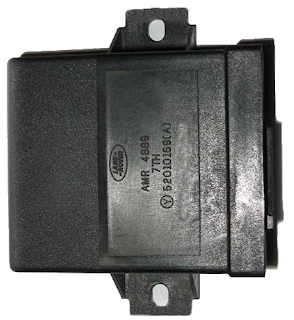
Defender 300tdi Lucas 10AS Alarm Immobiliser (Spider) Problems
We have a 1997 Landrover Defender 300tdi that has given immobiliser problems intermittently. I had initially fixed the fuel solenoid as we w...
-
 Server failure This server failed with the error "E171F PCIE Fatal Err B0 D3 F0" during power up. Upon inspection it was found th...
 -
 I make no guarantees for the information contained herein, I also cannot be held responsible for data loss as a result of your actions, we m...
 -
 I bricked my MR3220 router with an OpenWRT firmware upload. I did manage to get it back by soldering a 4 pin header on its pcb to allow conn...